Image

This page provides information on the Assigned Representatives (AR) submission and update of notifications in the SRP. It is intended for AR users (Primary and Secondary/Backup).
Last updated: 12 September 2026
The information on this page is provided according to our current best knowledge and may be subject to change. Please ensure that you consult the latest available guidance before applying these instructions.
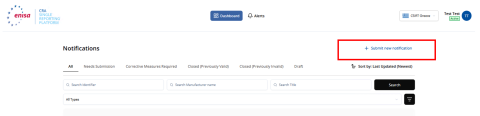
Purpose: Follow these steps to submit a new notification for an Actively Exploited Vulnerability (AEV) or a Severe Incident (SI). The purpose of the notification is to inform the relevant users of the CSIRT Designated as Coordinator (CDaC) so they can review, disseminate and further process it.
Pre-conditions: your user status is “Active”, you are logged in into the SRP and you have opened the Dashboard.
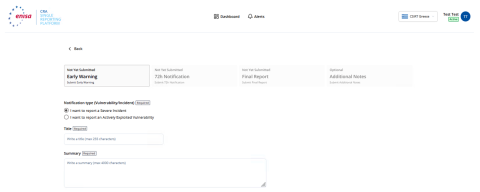
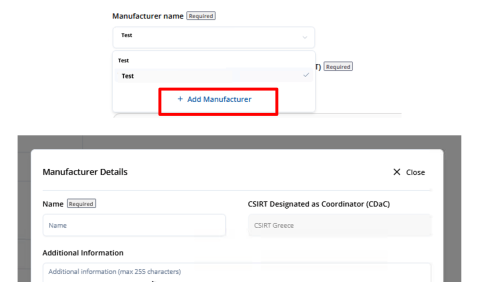
The notification is listed on the Dashboard.
Exceptions: If you omit mandatory data, the SRP will return an error informing you of the missing data that must be provided.
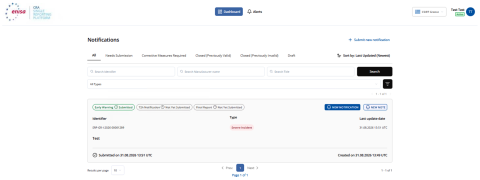
Before CSIRT validation:
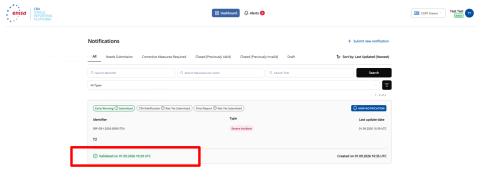
After CSIRT validation:
Pre-conditions:
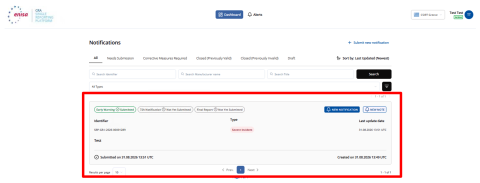
The notification is listed on the Dashboard and is subject to be validated by the CSIRT.
Exception: If you omit mandatory data, the SRP will return an error informing you of the missing data that must be provided.
Pre-conditions:
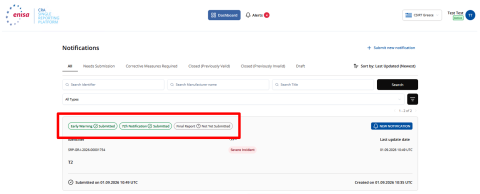
Exceptions: If you omit mandatory data, the SRP will return an error informing you of the missing data that must be provided.
Expected results:
Draft: the state of a saved draft notification is updated to "Draft". The draft is visible only to you.
Early Warning: the notification is stored and is accessible to the CSIRT Designated as Coordinator (CDaC) and to ENISA. An email and an alert will be sent to this CSIRT. An email and an alert will also be sent to you and all other ARs of the selected manufacturer, confirming submission of the notification. An email and an alert will also be sent to the ENISA automatically. The state of a successfully submitted notification is updated to “Early Warning”. Concerned CSIRTs will receive the Early Warning only after manual dissemination by the CSIRT Designated as Coordinator.
72-hour Notification: The state of a successfully submitted notification is updated to "72h Submitted". The dissemination state of a notification subject to Particularly Exception Circumstances (PEC) is updated to "72h Submitted under PEC ". An email and an alert will be sent to the CDaC. An email and an alert will also be sent to you and all other ARs of the selected manufacturer, confirming submission of the notification. An email and an alert will also be sent to ENISA. ENISA automatically receives the 72h Notification only when Particularly Exception Circumstances have not been invoked. Concerned CSIRTs will receive the 72-hour Notification only after manual dissemination by the CSIRT Designated as Coordinator.
Final Report: the state of a successfully submitted notification is updated to "FR Submitted". The sub-state of a successfully submitted Final Report is updated to “Final Report”. ENISA automatically receives the Final Report only when Particularly Exception Circumstances has not been invoked. Concerned CSIRTs will receive the Final Report only after manual dissemination by the CSIRT Designated as Coordinator.
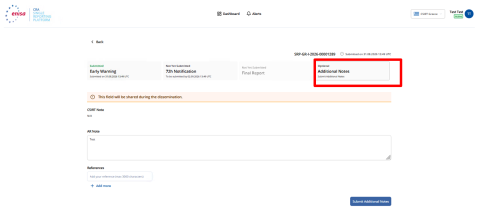
Purpose: Follow these steps to update an existing notification for an Actively Exploited Vulnerability or a Severe Incident.
Pre-conditions:
Exceptions: If you omit mandatory data and click “Update”, the SRP will return an error informing you of the missing data that must be provided.
Stay updated with ENISA! Sign up for email alerts on publications, events, vacancies, and more.